Every button, discovered
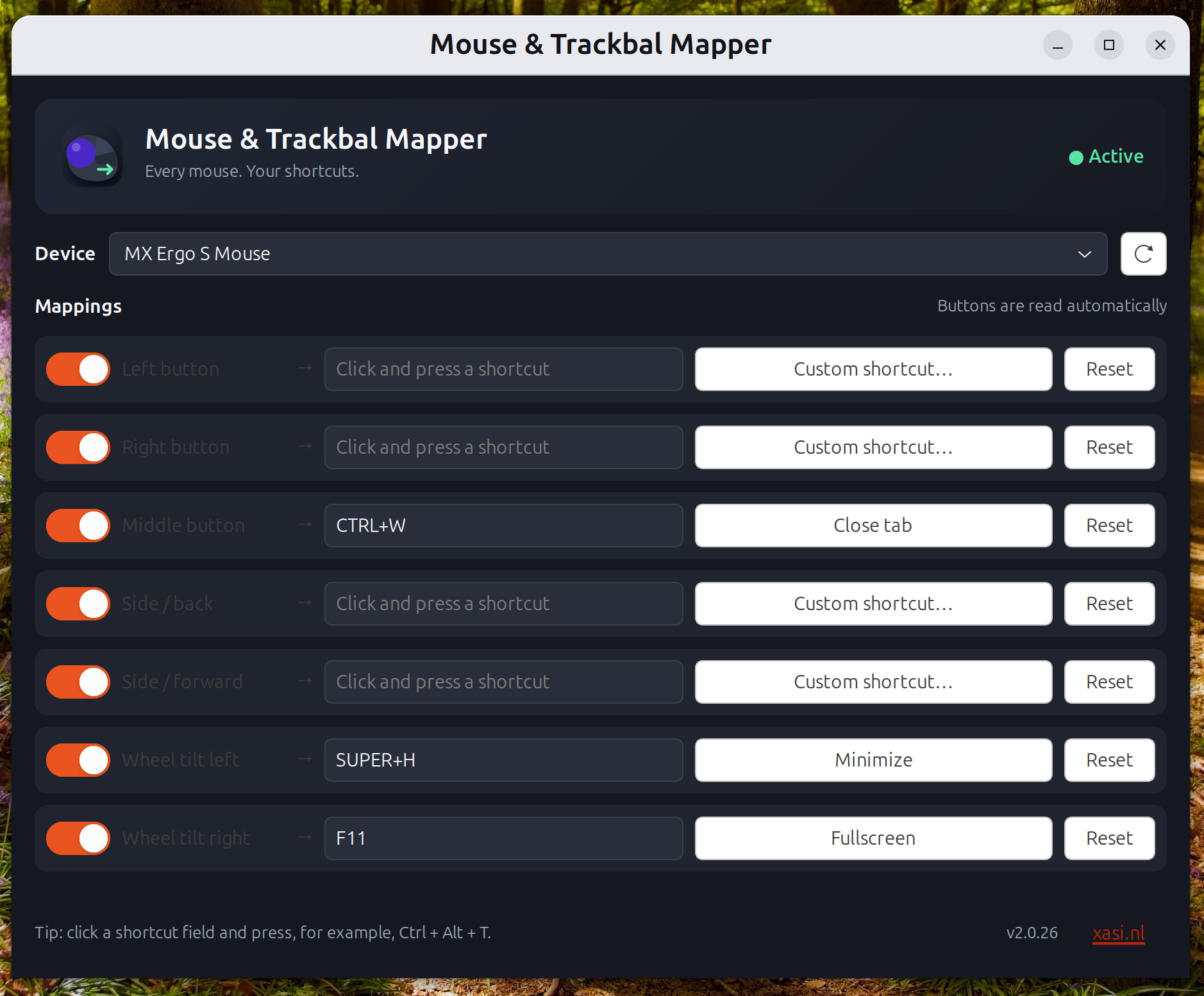
Connect a mouse or trackball and its available buttons appear automatically—including horizontal wheel tilt when supported.
Turn every button on your mouse or trackball into the shortcut you actually need. Native, fast and quietly waiting in your tray.
Designed to disappear when you do not need it—and save you hundreds of repetitive movements when you do.
Connect a mouse or trackball and its available buttons appear automatically—including horizontal wheel tilt when supported.
Use your MX Ergo and regular mouse at the same time. Bindings stay separate and active per device.
Launches automatically with Ubuntu, minimized to the tray and ready before your first click.
Pick from a rich library of Linux shortcuts or capture your own combination before the desktop can react to it.
No profiles to import. No scripts to write. Your hardware tells MouseMapper what it can do.
Get MouseMapperOnly real mice and trackballs appear in the focused device list.
Every supported button is already waiting—no twitchy detection mode.
Choose a preset or press your own shortcut. The change is active instantly.

Download the Debian installer, double-click it and choose Install in Ubuntu App Center.